Postgres 18 Docker Silently Ignores Your Named Volume
After upgrading to Postgres 18 in Docker, my named volume sat empty while data went to an anonymous volume. No errors, no warnings, just initdb on every restart.
Table of Contents
After upgrading from Postgres 16 to 18, every time I recreated my Docker container, the database started fresh. No errors, no warnings. Just initdb running on every startup, as if the named volume didn’t exist. The same setup worked fine with Postgres 16.
The volume did exist. docker volume ls confirmed it. The data just wasn’t in it.
What Changed in Postgres 18
PR #1259 changed two things in the official Postgres Docker image, starting with version 18:
| Postgres 16 | Postgres 18 | |
|---|---|---|
PGDATA | /var/lib/postgresql/data | /var/lib/postgresql/18/docker |
VOLUME | /var/lib/postgresql/data | /var/lib/postgresql |
From the PR description:
Concretely, this changes
PGDATAto/var/lib/postgresql/MAJOR/docker, which matches the pre-existing convention/standard of thepg_ctlcluster/postgresql-commonset of commands, and frankly is what we should’ve done to begin with.
This also changes the
VOLUMEto/var/lib/postgresql, which should be more reasonable, and make the upgrade constraints more obvious.
The new directory structure enables faster pg_upgrade --link between major versions.
Why It Breaks
With Postgres 16, mounting a named volume at /var/lib/postgresql/data worked because that’s where PGDATA pointed. With Postgres 18, PGDATA moved to /var/lib/postgresql/18/docker. The old mount path and the new data path are siblings, not nested:
/var/lib/postgresql/
├── data/              ← named volume mounted here (empty)
└── 18/
    └── docker/        ← PGDATA lives here (anonymous volume)
        ├── base/
        ├── global/
        ├── pg_wal/
        └── ...
The image declares VOLUME /var/lib/postgresql, so Docker creates an anonymous volume there automatically. My database files ended up in that anonymous volume. The named volume sat empty at /var/lib/postgresql/data.
The container logs confirm it. On every startup:
docker logs pg
# The files belonging to this database system will be owned by user "postgres".
# ...
# fixing permissions on existing directory /var/lib/postgresql/18/docker ... ok
# creating subdirectories ... ok
# selecting dynamic shared memory implementation ... posix
# selecting default "max_connections" ... 100
# selecting default "shared_buffers" ... 128MB
# ...
# running bootstrap script ... ok
# ...
# performing post-bootstrap initialization ... ok
# syncing data to disk ... ok
#
# Success. You can now start the database server using:
#
#     pg_ctl -D /var/lib/postgresql/18/docker -l logfile start
That’s initdb running from scratch. If data had been persisted, Postgres would skip initialization and just start the server.
Reproduce It
Start Postgres 18 with the old mount path:
docker run -d --name pg \
  -e POSTGRES_DB=myapp -e POSTGRES_USER=myapp -e POSTGRES_PASSWORD=testpass \
  -v pgdata:/var/lib/postgresql/data \
  postgres:18-alpine
Insert data and verify:
docker exec pg psql -U myapp -c \
  "CREATE TABLE test(id int); INSERT INTO test VALUES(1);"
# CREATE TABLE
# INSERT 0 1

docker exec pg psql -U myapp -c "SELECT * FROM test;"
#  id
# ----
#   1
# (1 row)
Remove the container and start a new one:
docker rm -f pg

docker run -d --name pg \
  -e POSTGRES_DB=myapp -e POSTGRES_USER=myapp -e POSTGRES_PASSWORD=testpass \
  -v pgdata:/var/lib/postgresql/data \
  postgres:18-alpine

docker exec pg psql -U myapp -c "SELECT * FROM test;"
# ERROR:  relation "test" does not exist
# LINE 1: SELECT * FROM test;
#                       ^
Data is gone. No error from Docker, no warning in the logs.
docker volume ls shows the evidence:
docker volume ls
# DRIVER    VOLUME NAME
# local     4dea31d05d27...   ← new anonymous volume (fresh initdb)
# local     be27b5708be1...   ← old anonymous volume (your data is here, orphaned)
# local     pgdata            ← named volume (empty the whole time)
A new anonymous volume appears after each remove/create cycle. The old one stays on disk until you run docker volume prune.
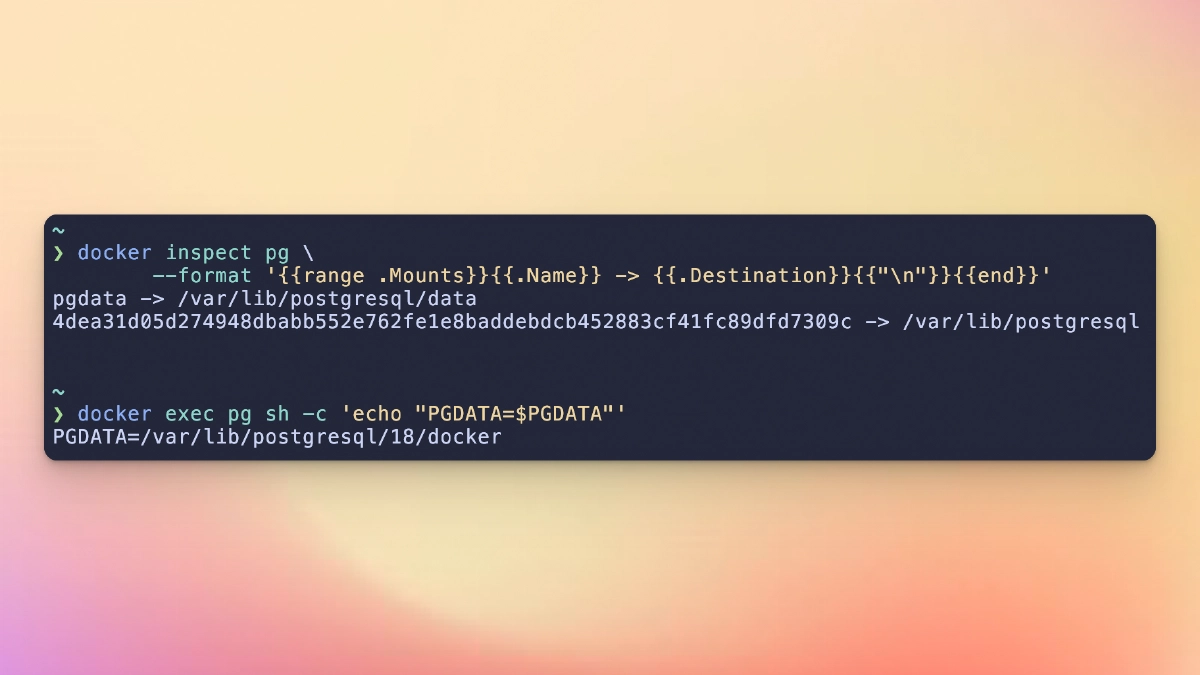
Two mounts confirm the mismatch:
docker inspect pg \
  --format '{{range .Mounts}}{{.Name}} -> {{.Destination}}{{"\n"}}{{end}}'
# pgdata -> /var/lib/postgresql/data
# 4dea31d05d27... -> /var/lib/postgresql

docker exec pg sh -c 'echo "PGDATA=$PGDATA"'
# PGDATA=/var/lib/postgresql/18/docker
PGDATA sits inside the anonymous volume, not the named one.
Why Data Sometimes Survives
Restarting the same container preserves data. Removing it doesn’t:
| Action | Container | Anonymous volume | Data? |
|---|---|---|---|
docker stop + docker start | Same container restarted | Old anonymous volume still attached | Preserved |
docker rm + docker run | New container created | New anonymous volume attached | Lost |
docker stop / docker start keeps the container and its anonymous volume in place. docker rm destroys the container, orphaning the anonymous volume. The next docker run creates a fresh one, Postgres sees an empty PGDATA, and runs initdb.
This is the same reason docker compose up (foreground, Ctrl+C to stop) preserves data while docker compose down followed by docker compose up -d doesn’t. down removes the container. Ctrl+C just stops it.
The Fix
Two things need to happen: back up your Postgres 16 data, then change the volume mount.
Back up first:
docker exec pg pg_dumpall -U myapp > backup.sqlThen recreate the container with the correct mount path at /var/lib/postgresql:
docker rm -f pg
docker volume rm pgdata

docker run -d --name pg \
  -e POSTGRES_DB=myapp -e POSTGRES_USER=myapp -e POSTGRES_PASSWORD=testpass \
  -v pgdata:/var/lib/postgresql \
  postgres:18-alpine
PGDATA (/var/lib/postgresql/18/docker) is now a subdirectory of the named volume mount. Data persists across container removal because the named volume has a stable name that Docker can find and reattach.
Restore the backup:
docker exec -i pg psql -U myapp < backup.sqlVerify a single mount:
docker inspect pg \
  --format '{{range .Mounts}}{{.Name}} -> {{.Destination}}{{"\n"}}{{end}}'
# pgdata -> /var/lib/postgresql
One mount, one volume, data persists.
If you use Docker Compose, the equivalent mount path fix:
 volumes:
-  - postgres_data:/var/lib/postgresql/data
+  - postgres_data:/var/lib/postgresql
The Wrong Fix
My first instinct was to override PGDATA to force Postgres back into the old mount path:
docker run -d --name pg \
  -e POSTGRES_DB=myapp -e POSTGRES_USER=myapp -e POSTGRES_PASSWORD=testpass \
  -e PGDATA=/var/lib/postgresql/data/pgdata \
  -v pgdata:/var/lib/postgresql/data \
  postgres:18-alpine
This works in the sense that Postgres will store data inside the volume. But it fights the image’s intended design and breaks the version-specific directory structure (/var/lib/postgresql/MAJOR/docker) that enables pg_upgrade --link between major versions.
Who Else Got Burned
The same issue has been reported across multiple open-source projects after they upgraded to Postgres 18:
The official Docker Hub documentation now includes this warning:
Important Change: the
PGDATAenvironment variable of the image was changed to be version specific in PostgreSQL 18 and above. For 18 it is/var/lib/postgresql/18/docker. The definedVOLUMEwas changed in 18 and above to/var/lib/postgresql. Mounts and volumes should be targeted at the updated location.
Summary
If you’re upgrading to Postgres 18 in Docker: back up with pg_dumpall, change your volume mount, and restore.
- -v pgdata:/var/lib/postgresql/data
+ -v pgdata:/var/lib/postgresql
Don’t override PGDATA. The image default is correct.
The breaking change is
documented
but easy to miss. No error message will tell you your data is being written outside the volume. The only clue is initdb running on every startup in the container logs.